
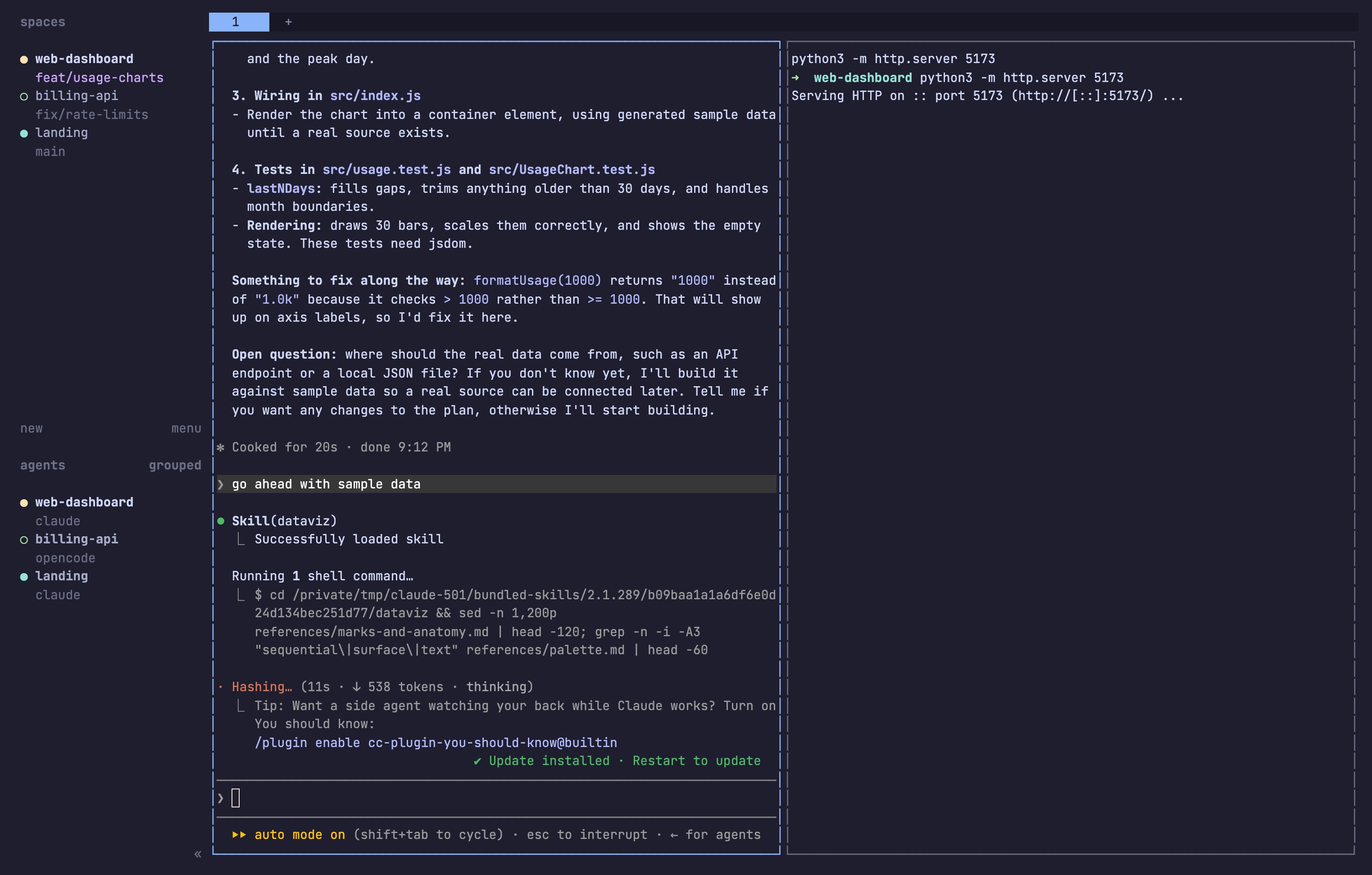
Herdr is a free, open-source app that runs inside your terminal and holds all your coding agents in one place. Claude Code, Codex, Cursor, OpenCode and the rest keep running as they do today, each in its own terminal pane. Herdr adds 3 things on top: a sidebar that tells you which agent is working, which is done and which is stuck waiting for you; sessions that keep running after you close the laptop or lose SSH; and a CLI that lets agents open panes and talk to each other.
It's a single Rust binary, Apache 2.0 licensed, made by Ogulcan Celik. The repo, herdrdev/herdr, went public in spring 2026, trended on GitHub through the summer and now has over 42k stars. In September 2026 the team raised a $6M seed round led by Bessemer, with Y Combinator in the round. The current release is v0.9.3.
Better Stack's video is the quickest way to see it in action:
The problem it solves
If you already use agents every day, this probably sounds familiar:
- You have 4 terminal tabs with 4 agents. One of them has been waiting 20 minutes for you to approve a command, and you didn't notice.
- You start a long task, close the laptop to go home, and the agent dies with the terminal.
- You run agents on a remote box over SSH. The Wi-Fi drops, and so does the session.
- You use Claude Code for one thing and Codex for another, plus a dev server and a test watcher, across 3 repos. Finding the right window takes longer than reading its output.
tmux solves the second and third points but has no idea what an agent is. Graphical agent apps like Conductor or T3 Code solve the first one but pull you out of the terminal and usually only run on your own desktop. Herdr sits in between: a real terminal multiplexer that knows when an agent needs you.
What Herdr is, and what it isn't
Herdr is a place for agents to live. It owns their terminals, watches their screens and keeps them alive.
Herdr is not:
- An agent. It has no model and doesn't send a single token anywhere. You keep using your Claude, ChatGPT or Cursor subscription the way you do now.
- A wrapper around agents. Claude Code runs as Claude Code, full-screen TUI and all. Herdr doesn't change its prompts or its UI.
- A GUI app. No Electron, no browser window. It runs in whatever terminal you already use: Ghostty, iTerm, WezTerm, Windows Terminal, an SSH session.
- A sandbox. Two agents in the same folder can still overwrite each other's changes. Use git worktrees for that (Herdr helps, more below).
How it's organized
Herdr uses 4 levels. Once you get these, the rest of the tool makes sense.
| Level | What it is | Example |
|---|---|---|
| Session | Everything Herdr is holding on one machine | Your laptop |
| Workspace | A project, usually one repo or folder | web-dashboard on feat/usage-charts |
| Tab | A layout inside a project | "agents", "servers" |
| Pane | A real terminal running something | Claude Code, npm run dev, a shell |
The left sidebar lists workspaces at the top and agents at the bottom. Each agent gets a colored dot and a status:
- working: busy, leave it alone
- blocked: waiting for you (an approval, a question, a permission prompt)
- done: finished since you last looked
- idle: sitting at an empty prompt
In the screenshot at the top,
web-dashboard has a yellow dot (Claude is working), landing has a green one (Claude finished), and billing-api has an empty circle (OpenCode is idle). You see all 3 without opening any of them.The status bubbles up, so a blocked agent inside a background tab of a background project still shows up in the sidebar. That's the feature most people install it for.
Under the hood, a background server owns the terminals and the processes. The window you look at is just a client. Close it and nothing stops; open it again and you're back where you were.
Which agents it supports
Herdr recognizes 22 agent CLIs out of the box, including Claude Code, Codex, Cursor Agent CLI, OpenCode, GitHub Copilot CLI, Grok, Pi, Devin, Kimi and Hermes. No setup needed: start the agent in a pane and Herdr picks it up.
It does this by reading what's on screen and matching it against rules for each agent. The rules update on their own when an agent changes its UI. Some newer agents (Crush, Command Code, Muse Code and others) report their status to Herdr directly instead.
Herdr only marks an agent blocked when it sees an actual approval, question or permission prompt on screen. If an agent you use isn't recognized, it still runs fine in a pane, you just won't get a status dot for it.
Install it and get going
1. Install Herdr. Pick one:
- macOS and Linux:
- Homebrew:
- mise:
- Windows (PowerShell):
2. Check it worked:
3. Go to your project folder and run
4. Start an agent in the first pane, for example
5. Press
6. Press
- macOS and Linux:
curl -fsSL https://herdr.dev/install.sh | sh- Homebrew:
brew install herdr- mise:
mise use -g herdr- Windows (PowerShell):
powershell -ExecutionPolicy Bypass -c "irm https://herdr.dev/install.ps1 | iex"2. Check it worked:
herdr --version3. Go to your project folder and run
herdr.4. Start an agent in the first pane, for example
claude.5. Press
ctrl+b then v to split right, and start a second agent or your dev server there.6. Press
ctrl+b then q to detach. Everything keeps running. Run herdr again to come back.Make sure your agents are installed and logged in first. Herdr doesn't install Claude Code or Codex for you.
On first launch, Herdr shows a short intro. Everything it says is true: it's built for the mouse, and
ctrl+b is the only key combination you need to start.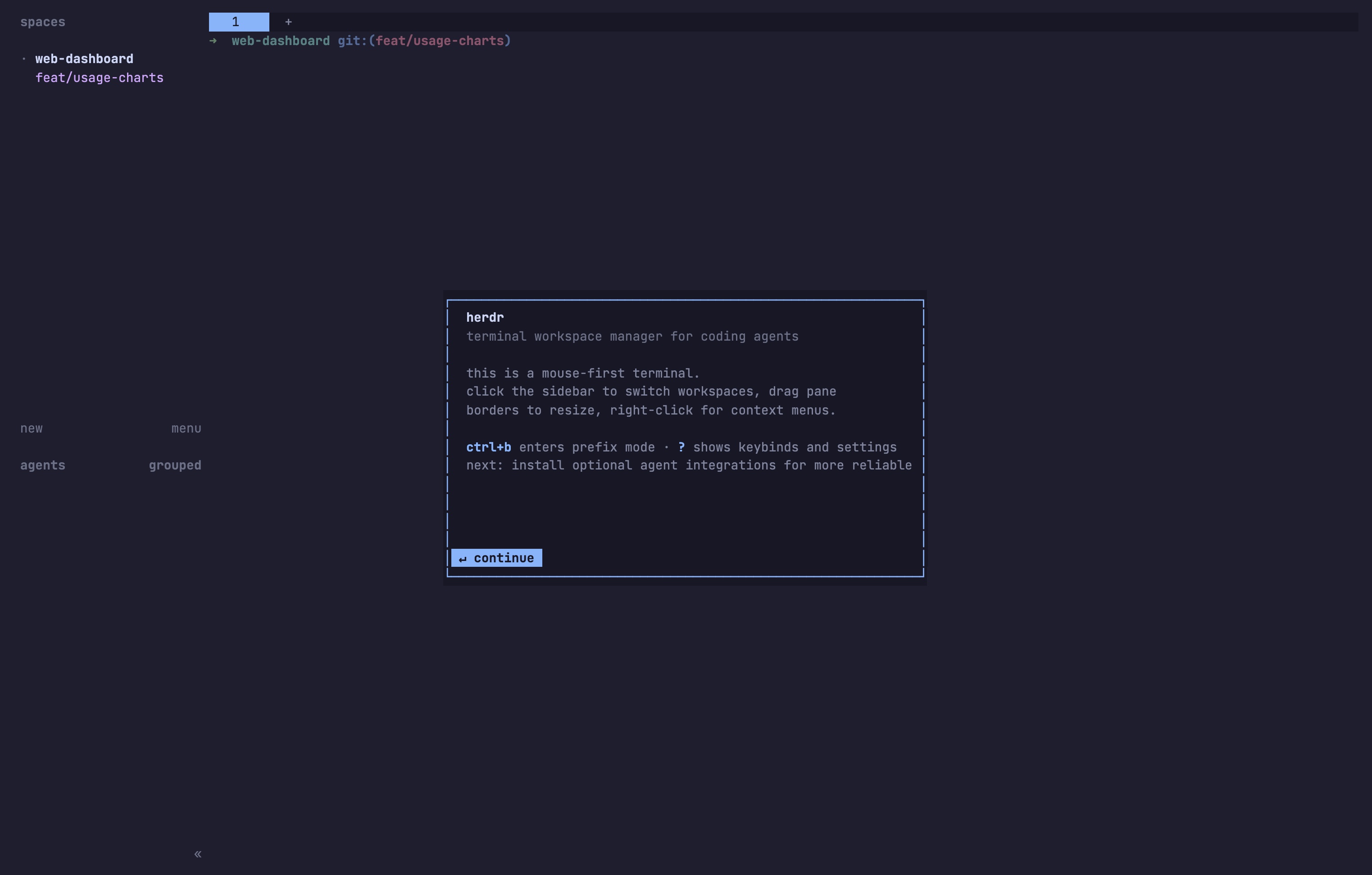
Next it checks which agents you have installed and offers optional integrations for them. They're worth turning on for the agents you use: they let Herdr resume an agent's conversation after a restart and, for some agents, get status straight from the agent instead of reading the screen. You can skip this and come back later in settings (
ctrl+b s).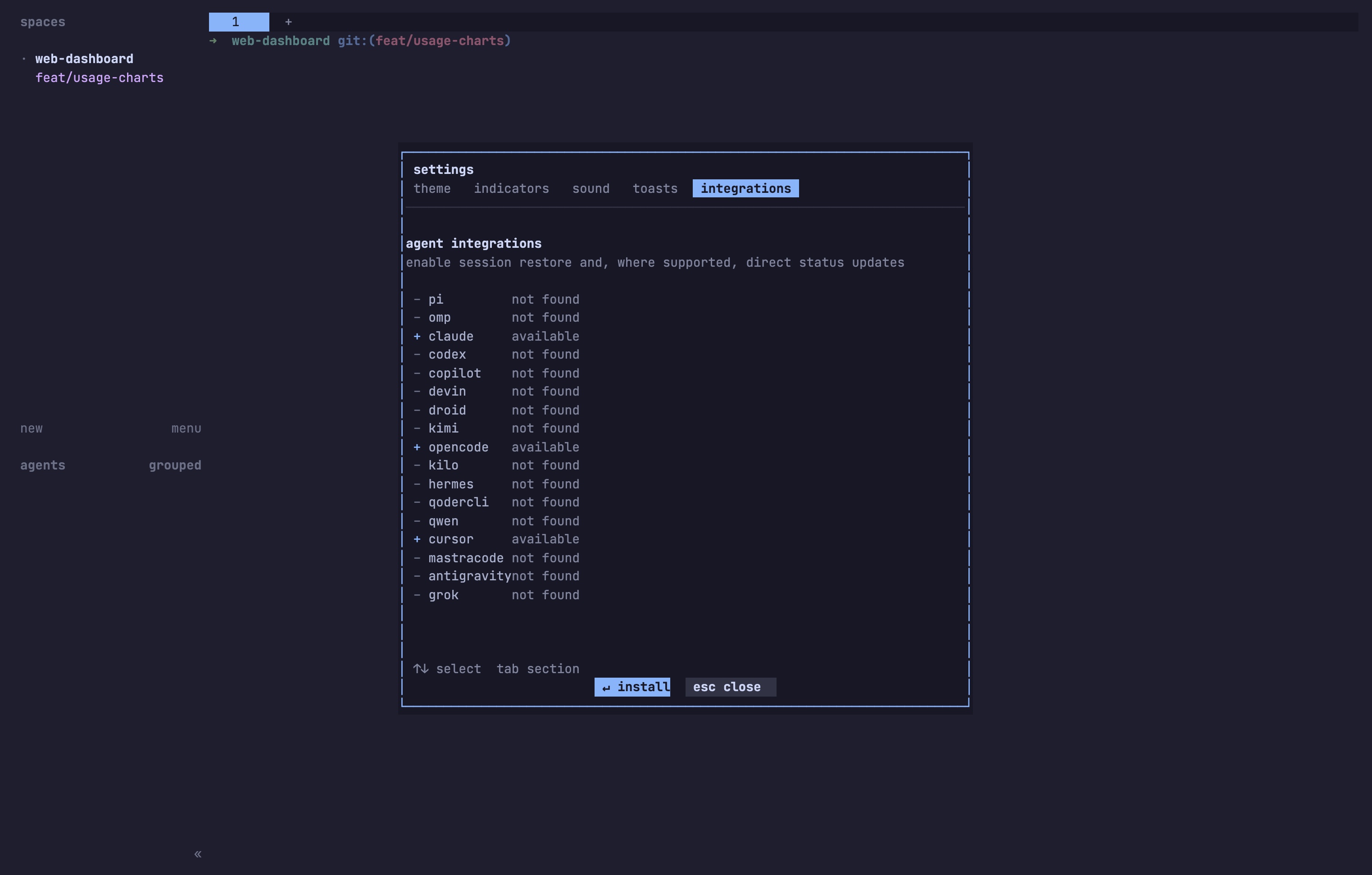
Keys worth learning on day one
If you've used tmux, these will feel familiar. The prefix is
ctrl+b: press it, let go, then press the key.| Action | Keys |
|---|---|
| Split right / split down | ctrl+b v / ctrl+b - |
| Move between panes | ctrl+b h j k l |
| Zoom a pane to full screen and back | ctrl+b z |
| New tab / next / previous | ctrl+b c / ctrl+b n / ctrl+b p |
| New workspace | ctrl+b shift+n |
| Jump to any workspace | ctrl+b g |
| Detach | ctrl+b q |
| Show all keys | ctrl+b ? |
You don't have to memorize the table.
ctrl+b ? opens the full list over whatever you're doing, and / filters it: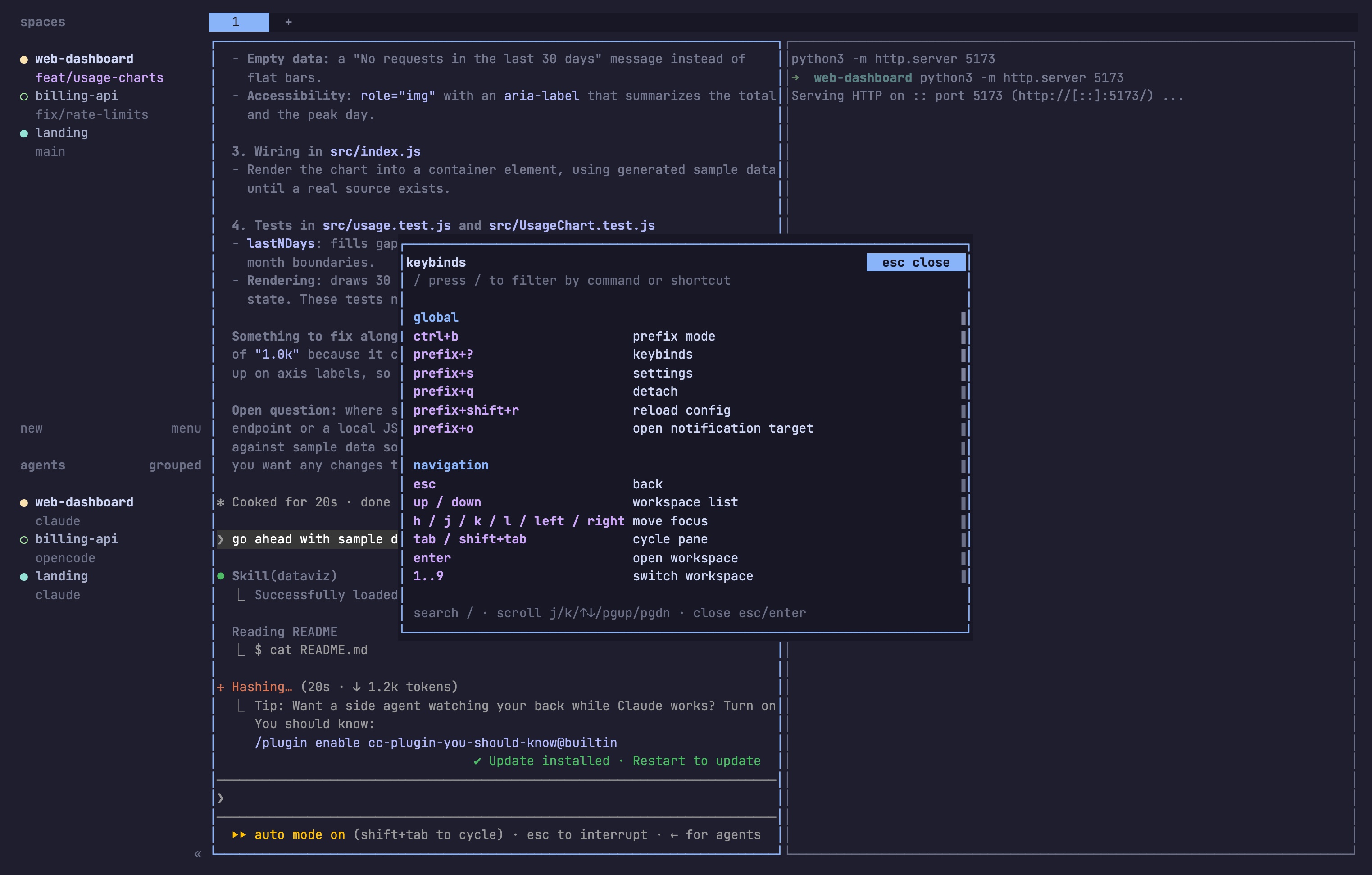
If you haven't used tmux, you can skip most of this. The mouse works everywhere: click a pane to focus it, drag the borders to resize, right-click for menus, drag to select and copy text.
4 ways people actually use it
1. Several features at once, without agents stepping on each other
Give each agent its own git worktree and branch, so 3 agents can work in the same repo without touching the same files. Herdr can create the worktree and start the agent in one go:
Terminal
Loading editor...
herdr worktree create --cwd ~/project --branch agent/mobile-header --label mobile-header
herdr agent start header --kind codex --pane <pane-id>
herdr agent prompt header "Fix the mobile header overlap"
Do that 3 times, go get coffee, and check the sidebar when you're back. Blocked ones are the ones that need you.
2. Agents on a server, you on any device
Run Herdr on a desktop at home or a cheap VPS. Start agents there, detach, and close your laptop. From anywhere, SSH in and run
herdr to pick up where you left off.Since v0.9 you don't even need to SSH by hand. Save a machine once and it shows up in your local sidebar next to your laptop's projects:
Terminal
Loading editor...
herdr machine add workbox --label "Build machine"
herdr machine add ssh://you@server:2222 --label "Staging box"
Each machine keeps its own Herdr server, so if one connection drops the others keep working, and the dropped one shows its last known state, dimmed. The layout also squeezes down for narrow screens, so checking on agents from a phone SSH app is usable.
3. One agent reviews another
Every Herdr command works from inside a pane, so an agent can run them too. Here's a script (or an agent) that opens a pane next to the current one, starts Codex in it and asks it to review the diff:
Terminal
Loading editor...
split=$(herdr pane split --current --direction right --cwd "$PWD")
review_pane=$(echo "$split" | jq -r '.result.pane.pane_id')
herdr agent start reviewer --kind codex --pane "$review_pane"
herdr agent prompt reviewer "Review the current diff" --wait
--wait blocks until the reviewer is actually finished, not just quiet for a few seconds. That's the difference from scripting tmux: Herdr knows the agent's state.4. Agent, dev server and tests side by side
The most boring use and maybe the most common. One tab per project with Claude Code on the left and
npm run dev on the right. Agents can read other panes too, so Claude can check the dev server's errors itself:Terminal
Loading editor...
herdr pane run w1:p2 "npm test"
herdr pane read w1:p2 --source recent-unwrapped --lines 120
Teach your agents to use Herdr
You don't have to remember any of those commands. Herdr ships an agent skill: a Markdown file that tells Claude Code, Codex and other agents how to use the
herdr CLI.Terminal
Loading editor...
npx skills add herdrdev/herdr --skill herdr -g
After that, start Herdr, start your agent inside it, and ask in plain words: "open a pane on the right, run the tests there, and tell me when they pass" or "start a Codex reviewer next to you and fix what it finds". The skill only works inside Herdr: if the agent isn't running in a Herdr pane, it's told to stop and say so.
Config and plugins
Settings live in
~/.config/herdr/config.toml: keybindings, notification toasts, what the sidebar shows, where worktrees go. Apply changes without restarting with herdr server reload-config.Plugins use the same CLI and socket API. The plugin marketplace has over 1,500 community plugins: project layouts that open your usual panes in one keypress, dev server launchers, extra status in the sidebar, reactions when an agent finishes. Start without them and add one when you catch yourself doing the same setup twice.
To update, run
herdr update.What survives what
This trips people up, so it's worth spelling out:
| What happens | Your agents |
|---|---|
| You close the terminal window or detach | Keep running. Reattach and they're exactly where they were. |
| SSH drops or the laptop sleeps (agents on a server) | Keep running on the server. |
| The Herdr server restarts or the machine reboots | Processes stop. Herdr restores the layout, and agents that support it (Claude Code, Codex and others) resume their last conversation. |
Detach is free. A reboot is not, so don't count on half-finished commands surviving one.
Where it falls short
- It's pre-1.0. Things move fast and minor versions add real changes. Read the release notes before updating in the middle of something important.
- No file isolation. Two agents in the same folder will still collide. Worktrees are on you, Herdr just makes them easier to create.
- No shared memory or task board. Agents don't know about each other unless you, a script or the skill tells them. It's a place to run agents, not a project manager for them.
- Status detection is screen-based. It works well for supported agents but can miss a state when an agent ships a UI change, until the rules update.
- It's a terminal tool. If you don't like the terminal, a graphical app will feel nicer. There's no built-in diff viewer or "open PR" button.
- More agents means more to review. Herdr makes it easy to run 6 agents. It doesn't make it easy to review 6 pull requests.
Herdr alternatives: tmux, T3 Code, Conductor and cmux
| | tmux / Zellij | Herdr | |
|---|---|---|---|
| Where it runs | Any terminal | Any terminal | Desktop app (T3 Code also on web and phone) |
| Agents keep running after you disconnect | Yes | Yes | Only while the app or its background service runs |
| Shows which agent is blocked | No | Yes | Yes |
| Several machines in one window | No | Yes | T3 Code: via pairing |
| Diff viewer and one-click PR | No | No | Yes |
| Agents can control it from scripts | Generic terminal commands | Yes, agent-aware | Limited |
| Price | Free | Free, Apache 2.0 | T3 Code free (MIT), Conductor free, closed source |
Herdr vs tmux. Same idea, same prefix key, same detach. Herdr adds what tmux can't know: whether the thing in the pane is an agent and whether it needs you. It also works with the mouse out of the box. If you have a tmux setup you love, you can keep it for everything else and use Herdr for agents.
Herdr vs T3 Code. These solve different parts of the same day. T3 Code is a graphical window for chatting with agents, reviewing diffs and opening pull requests. Herdr is where agents run, in real terminals, on any machine, with nothing in between you and the agent's own UI. If you like the agents' own TUIs and work over SSH, pick Herdr. If you want a review-and-ship flow with buttons, pick T3 Code.
Herdr vs cmux. cmux is a native macOS terminal with agent notifications built in. Herdr runs inside any terminal, including on Linux servers and Windows. People use the two together: cmux as the terminal, Herdr inside it.
For the wider landscape, see Top new agentic IDEs.
More videos
FAQ
Is Herdr free?
Yes. It's open source under Apache 2.0, with no paid plan. You pay for your agents' subscriptions as before.
Does Herdr work with Claude Code?
Yes. Run
claude in any pane and Herdr detects it, shows its status and can resume its conversation after a restart.Does it work on Windows?
Yes. Native Windows support became stable in August 2026. Install it with the PowerShell command above.
Do I need to know tmux?
No. The mouse covers splitting, switching and resizing. Learn
ctrl+b q to detach and you're set.Does Herdr see my code or send data anywhere?
It runs locally as a binary on your machine. It doesn't proxy your agents' requests. Pane history saving is off by default because terminal output can contain secrets.
Can I use it on my phone?
Yes, through any SSH app. Run
herdr on the server and the layout adapts to the narrow screen.


Ship faster than your competition
Focus on customers and sales while we handle product delivery. Hire a dedicated AI maker or a whole product team.
Launch new products
Fix your delivery
Hit fundraising milestones


